
Find the right person, and see where they sit
Search, filter and browse the chart the way people actually look for colleagues.
Request a free trialSee all features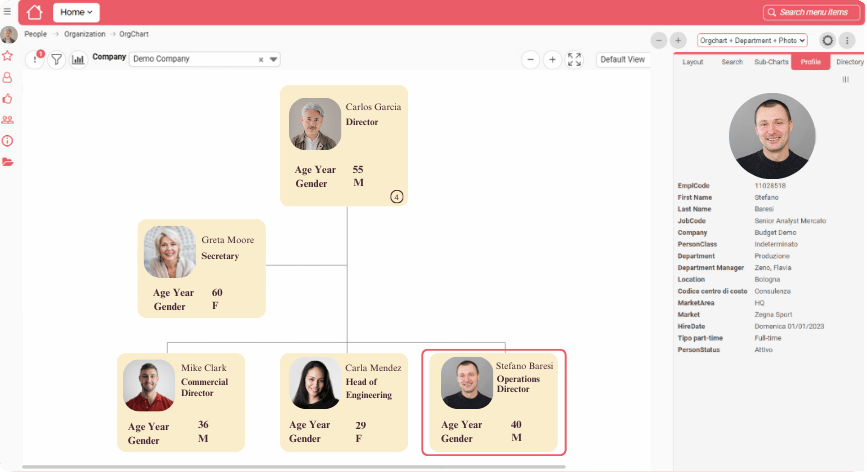
Six ways to get there
Whichever way you start, you end up on the right box.
Search by name
Type a name in the side panel and go straight to the person.
Find by Photo
You remember the face, not the name. Browse the identification photos, narrow the gallery with a filter and jump straight to the box.
Filters
Show only the boxes that meet one or more conditions.
Profile panel
Click a box to see the person’s card with the data loaded for them.
Directory
Read the chart as a list, in a few clicks.
Sub-charts
Pick the sub-charts to display and how many levels to show.
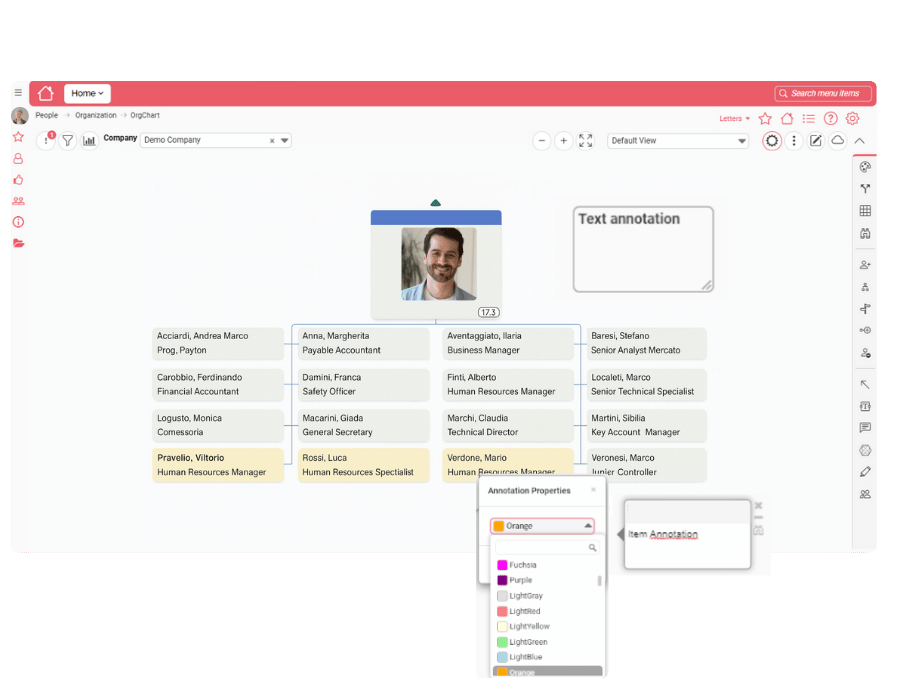
The Directory: your chart as a list
Read the chart as a list. Switch between current data and all data, and between people and organizational units.
Ask in plain wordsPlus plan
EcosAI, the built-in assistant, answers questions about the OrgChart module from the chat icon on the chart page.
Everyday uses
The questions people ask every week.
A new joiner
Looking for the right contact.
A manager
Checking who reports where.
HR
Answering a “who is this?” in seconds.
Try it on your own org chart
Request a free trial and find your first colleague in seconds.
Request a free trial